
Time to Event
A time-to-event calculation answers the question: how many hours (or days) until a telemetry value crosses a threshold? For example, when will fuel in a tank drop below the reserve level, or when will energy consumption exceed the monthly limit?
The approach combines a Prediction Model with a Batch Calculated Field:
Prediction Model ──────────────────────────────────────────────────── historical telemetry → trained model → future points │ ▼ Prediction telemetry (stored in ThingsBoard) │ ▼ Batch Calculated Field ──────────────────────────────────────────────────── future points → scan for first threshold crossing → compute distance from now to that ts → return countdown value │ ▼ Countdown telemetry (_ECD_…) written to ThingsBoard │ ▼ Alarm rule: triggers when countdown ≤ alert thresholdStep 1: Build a prediction model
Section titled “Step 1: Build a prediction model”Create a prediction model for the telemetry you want to monitor. Configure a training range that covers enough historical data, and set the prediction range to match how far into the future you need to look.
Example — Energy Meter:
| Parameter | Value |
|---|---|
| Name | Energy Consumption Prediction |
| Business entity | Energy Meter |
| ThingsBoard key | energy_consumption_prediction |
| Training range | 01/01/2024 – 31/12/2024 |
| Prediction range | 30 days |
After training, configure an automated forecast generation task so that predicted values are continuously refreshed in ThingsBoard.
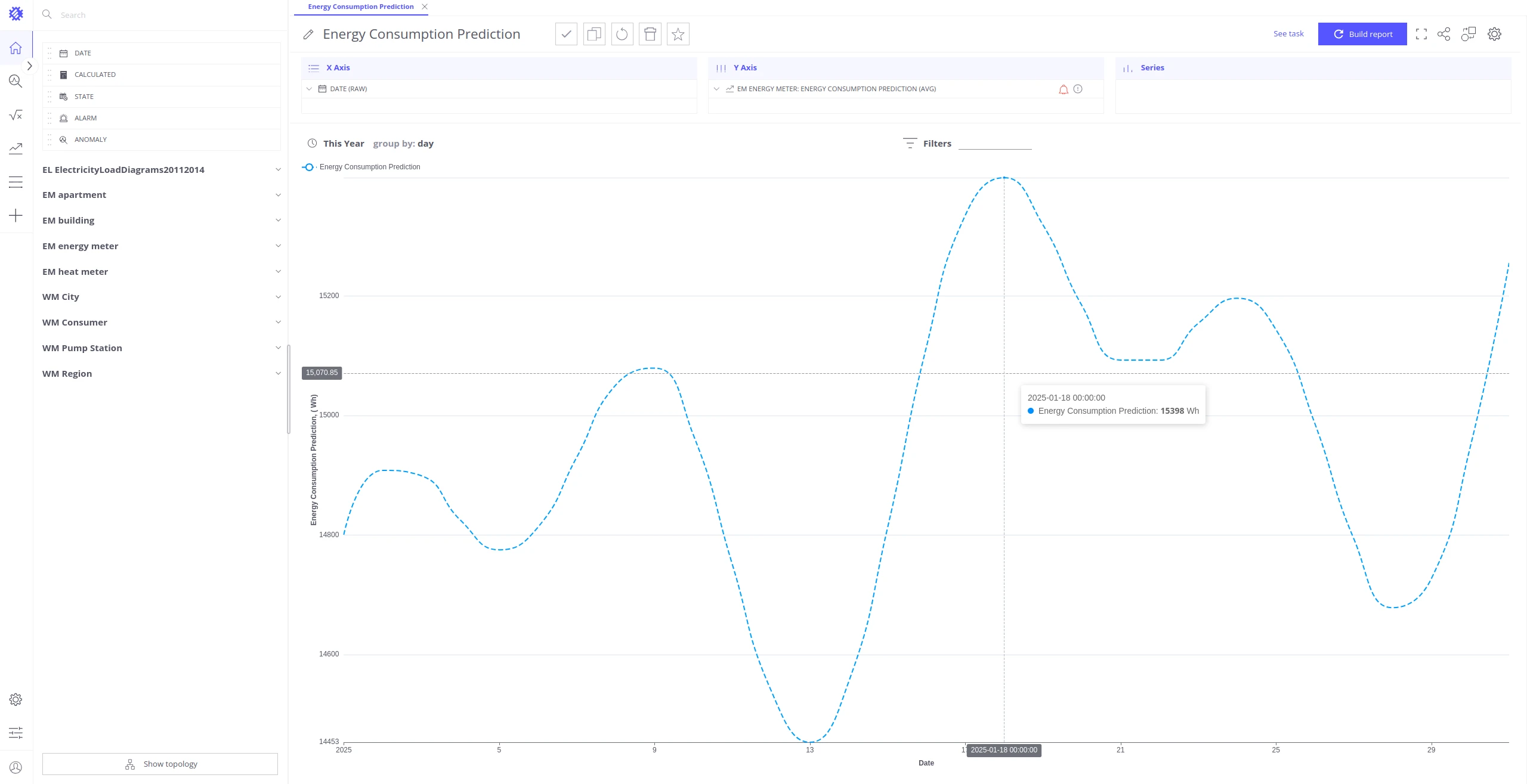
For full instructions, see Prediction Models.
Step 2: Define the threshold condition
Section titled “Step 2: Define the threshold condition”Identify the value that represents the critical event and the direction of crossing:
| Parameter | Description | Example |
|---|---|---|
Value threshold (limit) | The telemetry value that marks the event | 15000 (kWh) |
Direction (up) | true — triggers when value ≥ limit; false — triggers when value ≤ limit | true |
| Time threshold | How early before the event you want an alert | 3 days |
In the energy example: consumption ≥ 15 000 kWh is the critical condition, and you want to be notified 3 days before it is reached.
For multiple thresholds on the same telemetry (e.g. warn at 3 days, critical at 1 day), create a separate calculation field for each threshold with a different limit value and ThingsBoard key.
Step 3: Create the countdown calculation field
Section titled “Step 3: Create the countdown calculation field”Create a Batch Calculated Field that scans the predicted telemetry, finds the first point that crosses the threshold, and returns the time remaining until that point.
Field settings:
| Setting | Value |
|---|---|
| Name | Energy Consumption Prediction Countdown |
| ThingsBoard key | energy_consumption_prediction_countdown |
| Field type | Batch |
| Aggregation | AVG |
| Grouping Interval | Day |
| Time strategy | Fixed — specify a future time range covering the prediction window (e.g. This Year) |
Script parameters:
| Variable | Description | Example |
|---|---|---|
inputTelemetry | Prediction telemetry from the model (use none()) | none(EnergyMeter.energy_consumption_prediction) |
limit | Value threshold for the event condition | 15000 |
up | true = upper limit (≥); false = lower limit (≤) | true |
timeUnit | Time unit for the countdown result; use groupBy to follow the field’s grouping context | groupBy |
timeUnitDefault | Fallback unit when groupBy context is unavailable | "hour" |
Script:
/// Inputsvar inputTelemetry = none(EnergyMeter.energy_consumption_prediction);
var limit = 15000;            // Event threshold valuevar up = true;                // true = upper limit (>=), false = lower limit (<=)var timeUnit = groupBy;       // "null", groupBy, "minute", "hour", "day", "week", "month"var timeUnitDefault = "hour"; // Fallback unit when groupBy is unavailable
/// Codevar now = Date.now();
inputTelemetry = inputTelemetry    .filter(function(point) {        return point.ts > now;    })    .sort(function(a, b) {        return a.ts - b.ts;    });
var referencePoint = null;for (var i = 0; i < inputTelemetry.length; i++) {    if (up) {        if (inputTelemetry[i].value >= limit) {            referencePoint = inputTelemetry[i];            console.log('Found upper limit: ' + new Date(referencePoint.ts) + ' - ' + referencePoint.value);            break;        }    } else {        if (inputTelemetry[i].value <= limit) {            referencePoint = inputTelemetry[i];            console.log('Found lower limit: ' + new Date(referencePoint.ts) + ' - ' + referencePoint.value);            break;        }    }}
if (!referencePoint) {    // Threshold not reached within the prediction range.    // Returns [] — existing ThingsBoard telemetry is left unchanged, nothing is written.    return [];}
var referenceTime = referencePoint.ts;console.log('Reference Time: ' + new Date(referenceTime));
var timeUnits = {    "minute": 1000 * 60,    "hour":   1000 * 60 * 60,    "day":    1000 * 60 * 60 * 24,    "week":   1000 * 60 * 60 * 24 * 7,    "month":  1000 * 60 * 60 * 24 * 30,};
if (groupBy === 'null') {    // No grouping context — return a single countdown value at the current timestamp    if (typeof timeUnits[timeUnit] === 'undefined') {        timeUnit = timeUnitDefault;        console.log('Time unit not provided by context, using default: ' + timeUnitDefault);    }    var distance = (referenceTime - now) / timeUnits[timeUnit];    console.log('Distance: ' + distance + ' ' + timeUnit + 's');    return [{ ts: now, value: distance }];} else {    // Grouping context available — return a countdown value for each future prediction point    if (typeof timeUnits[timeUnit] === 'undefined') {        return 'Error: unknown time unit: ' + timeUnit;    }    inputTelemetry = inputTelemetry        .filter(function(point) {            return point.ts <= referenceTime;        })        .map(function(point) {            var timeDifference = referenceTime - point.ts;            var unitDifference = Math.round(timeDifference / timeUnits[timeUnit]);            return { ts: point.ts, value: unitDifference };        })        .sort(function(a, b) {            return a.ts - b.ts;        });    return inputTelemetry;}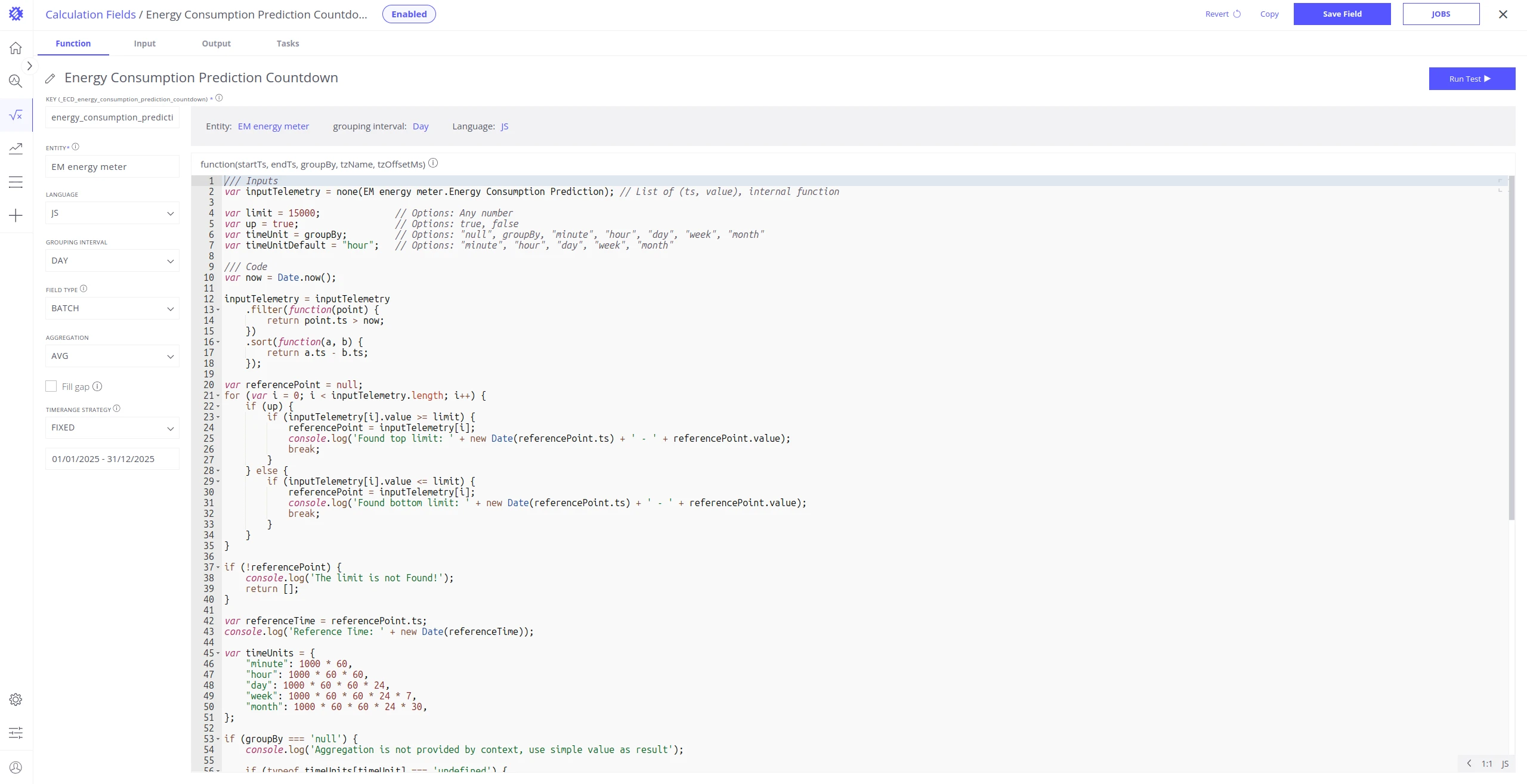
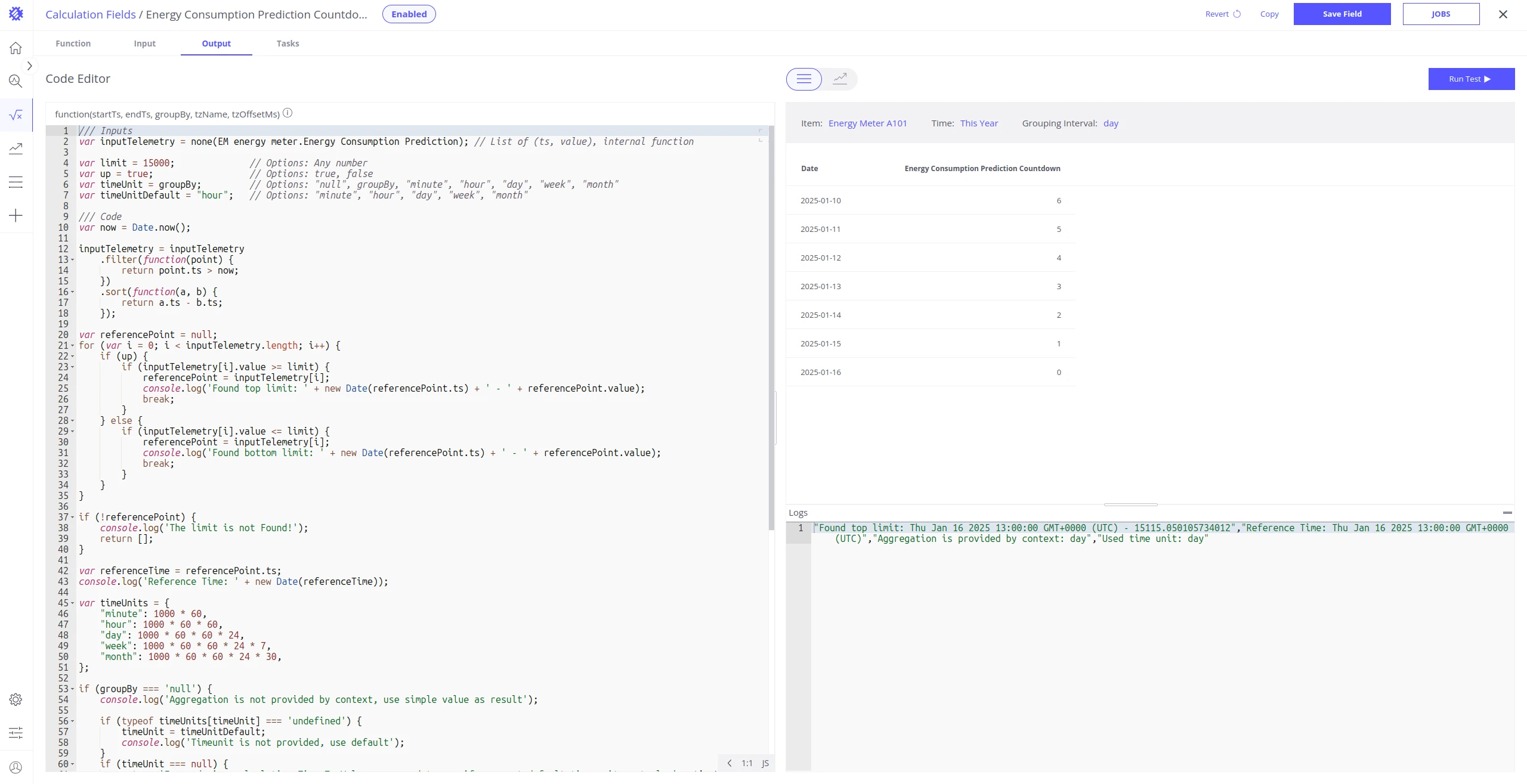
Use Run test to verify the output before enabling the field:
Step 4: Enable the calculation field
Section titled “Step 4: Enable the calculation field”Enable the field to write countdown telemetry to ThingsBoard under the key _ECD_energy_consumption_prediction_countdown. Configure a refresh task so the countdown updates automatically as new predictions arrive.
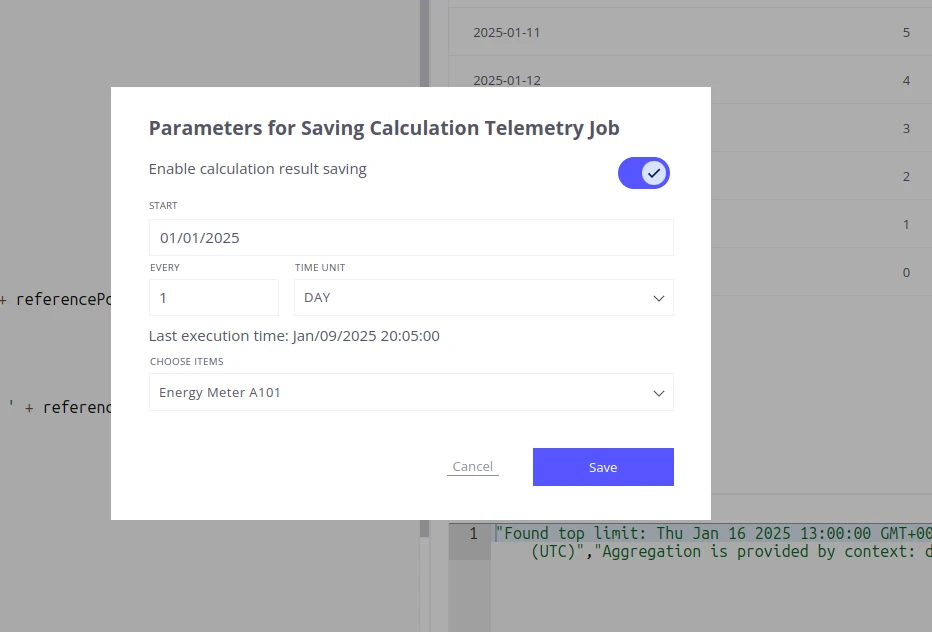
For step-by-step instructions on enabling a field and configuring refresh and reprocess jobs, see Save Calculations to ThingsBoard.
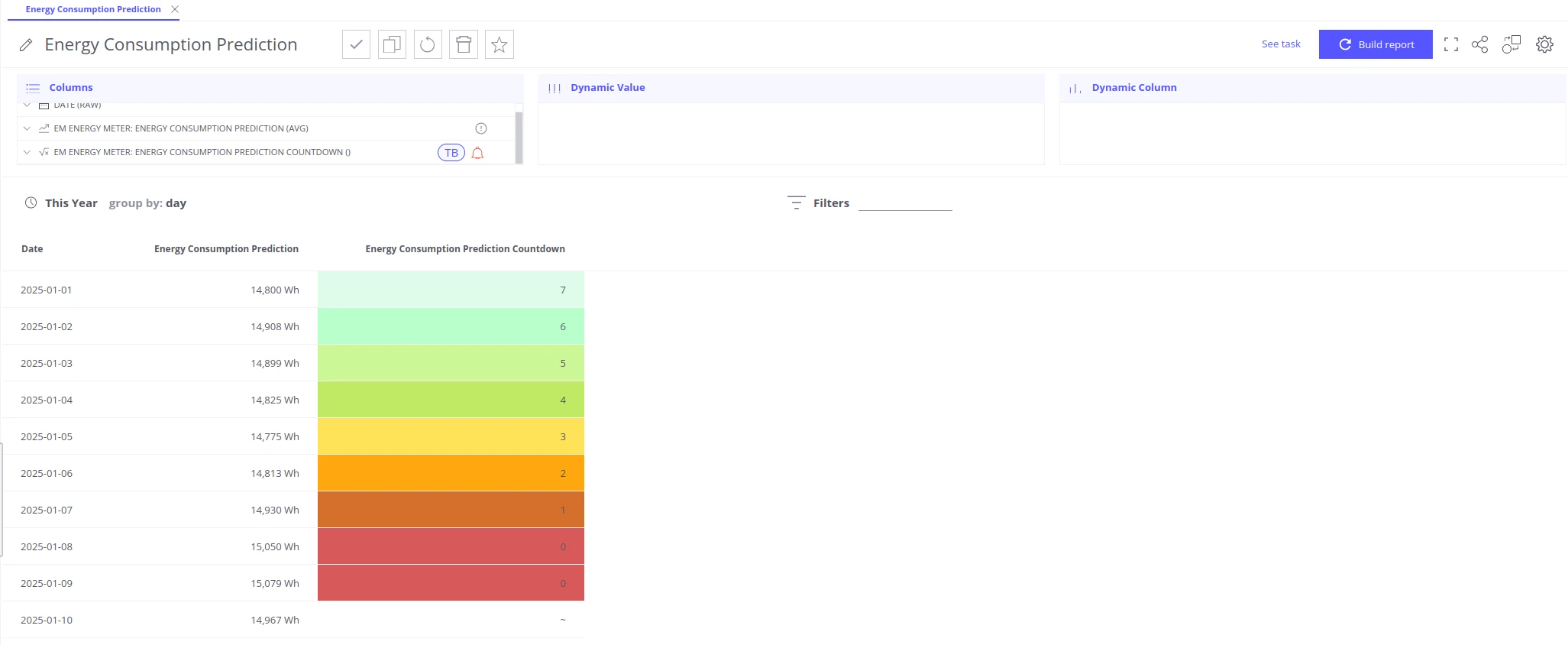
Step 5: Visualize in a table
Section titled “Step 5: Visualize in a table”Add the countdown telemetry to any Trendz view. Switching to a Table layout makes the time-to-event value easy to read for end users — a single row per entity showing the current countdown.
Step 6: Configure alarm rules
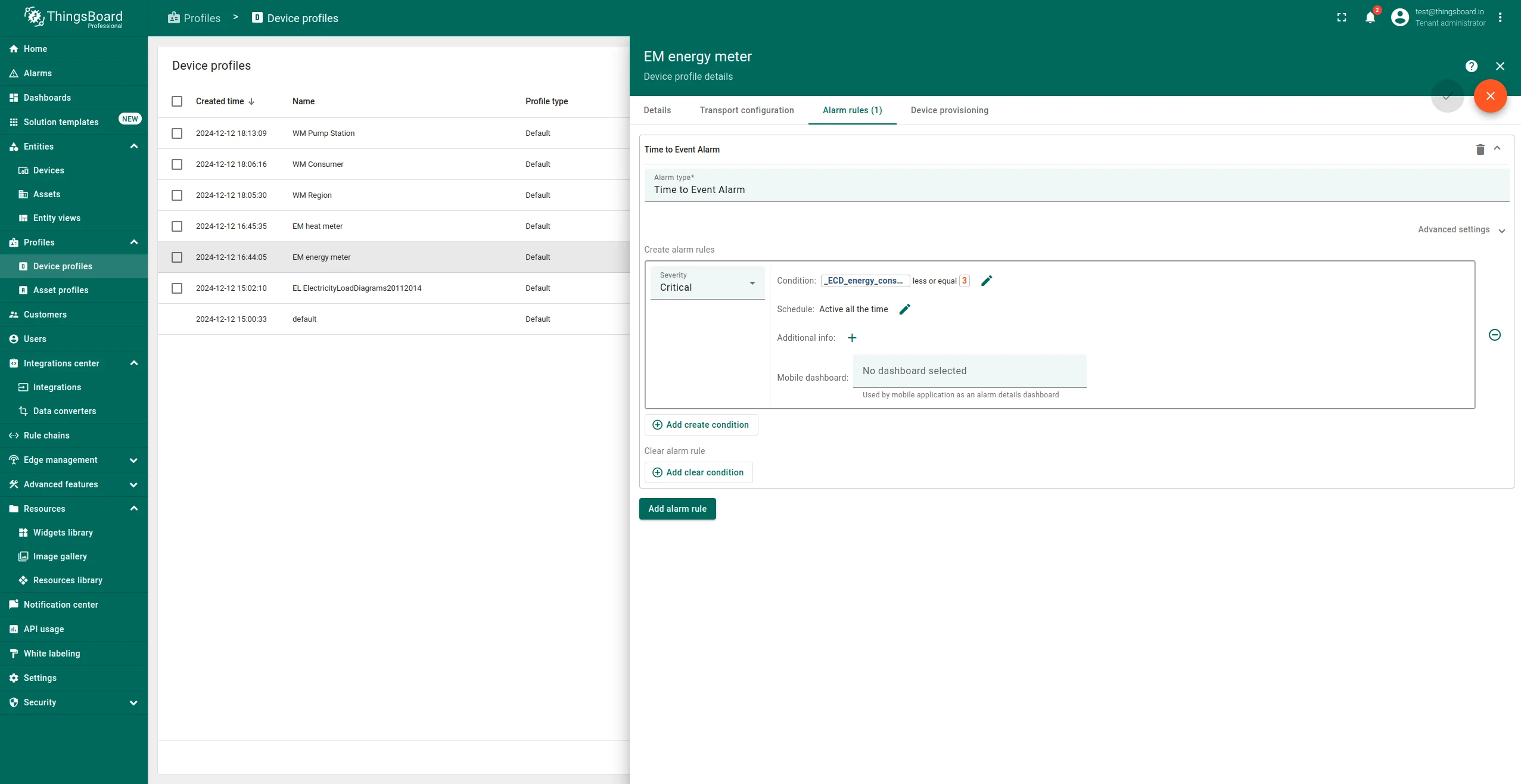
Section titled “Step 6: Configure alarm rules”With countdown telemetry stored in ThingsBoard, create an alarm rule on the entity profile to alert when the countdown falls below your time threshold (e.g. ≤ 3 days).
-
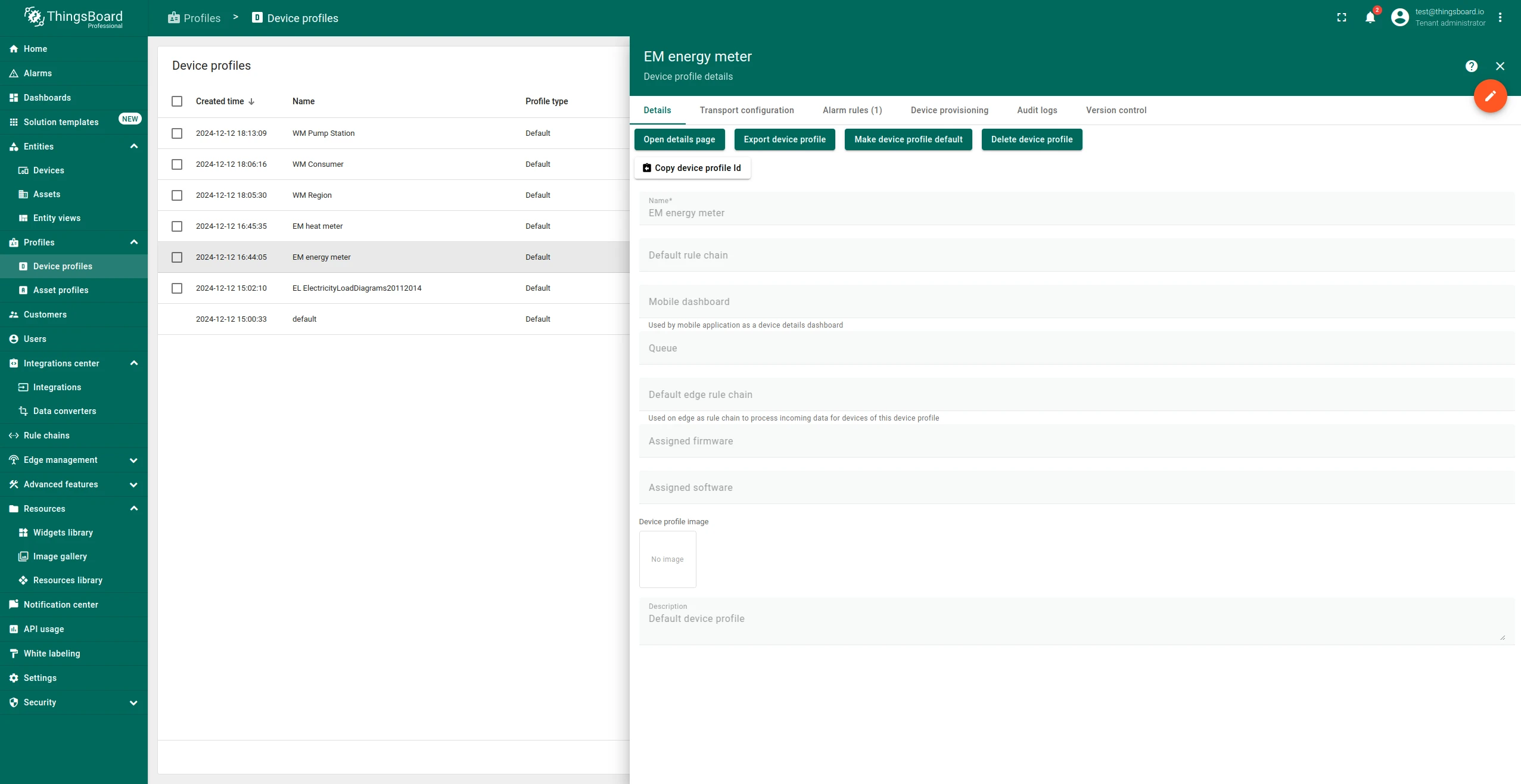
Open the entity profile and navigate to Alarm Rules. Toggle Edit mode.
-
Click Add alarm rule and set the create condition:
_ECD_energy_consumption_prediction_countdown≤3(days). -
Set the clear condition:
_ECD_energy_consumption_prediction_countdown>3. -
Click Apply changes.
Was this helpful?